

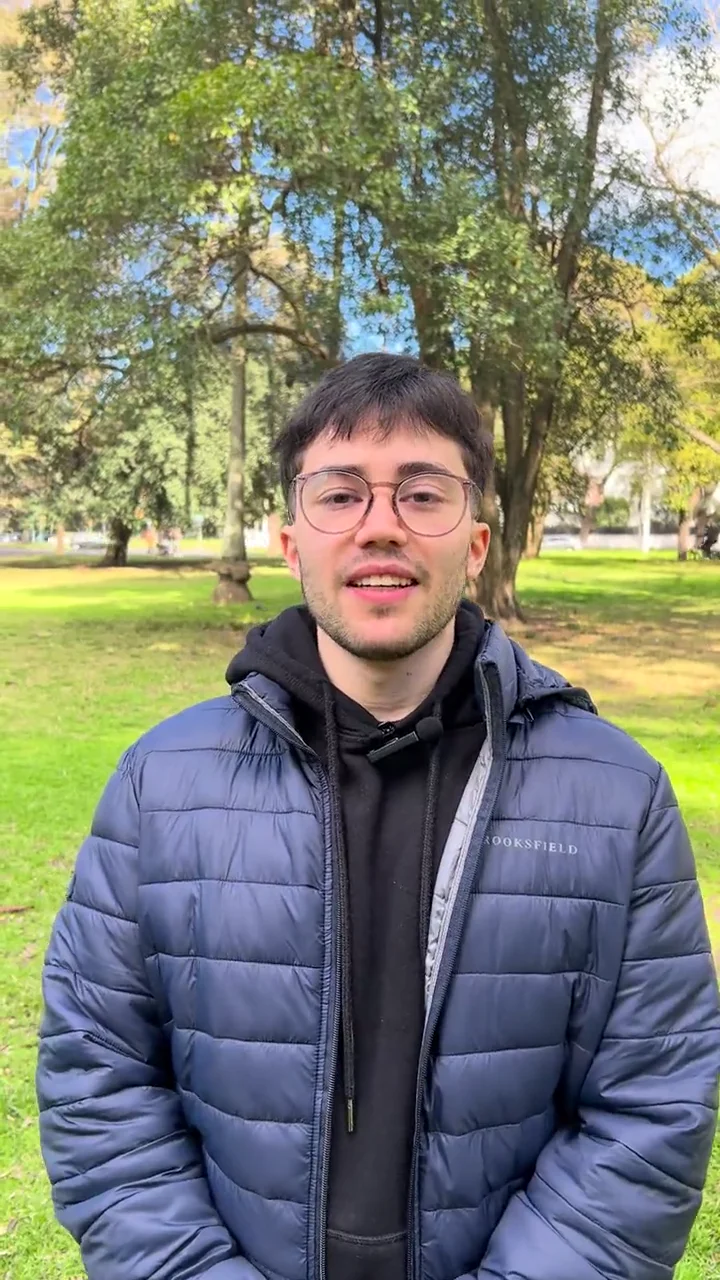
YOUR FOOTAGE. YOUR POINT OF VIEW.

From your recording to your next post.

Upload your video. Get a first edit with AI. Make it yours, then take it to Reels, TikTok or Shorts.

Edit my videoSee the process
Or request a free edit by email
ONE VIDEO. FOUR STEPS.

From recording to posting

See your video take shape.

Follow one video, from the original footage to the file you share.

01Your footage

Start with what you filmed.

A thought to camera, a demo or something happening at your business. Upload your footage in the app and say what you want to communicate.

Your voice. Your footage. Your starting point.

HooksageDrivo
01 / 04
Example walkthrough · real videoScroll to put the edit together
Original footage13.6 sec

Press play to watch and listen.

The starting point

One video. One idea.

drivo-original.mp4MP4 · 13.6 sec
What you want to say

Introduce Drivo and show how it works.

This walkthrough uses a sample file. Upload your own in the app.

Original13.6 sec

02First edit

Get the first edit.

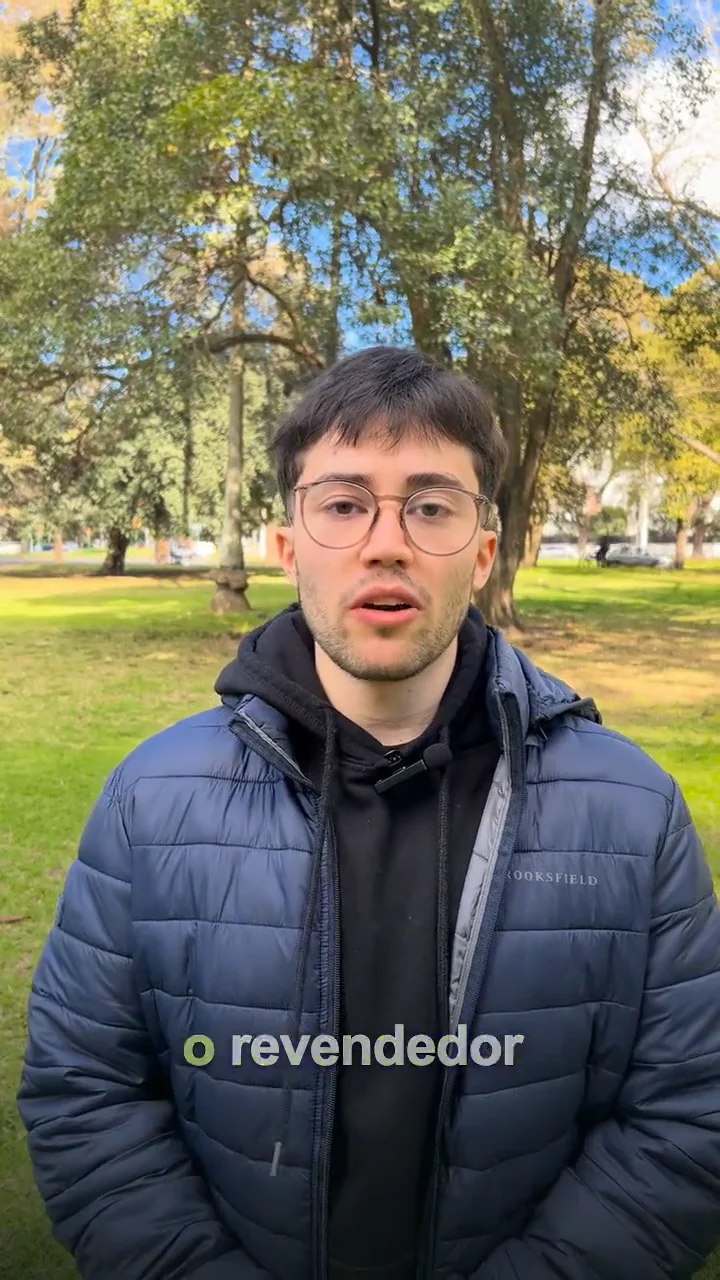
Hooksage prepares a vertical edit with cuts, framing and captions. The same message, with a new way to tell it.

In this example: from 13.6 to 11.1 seconds.

HooksageDrivo
02 / 04
Example walkthrough · real videoScroll to put the edit together
Edited cut11.1 sec

Press play to watch and listen.

The first version

The message takes shape.

  • AaCaptionsText that follows the voice
  • Vertical framing9:16
  • A shorter cut13.6 sec → 11.1 sec

Compare this result with the original in step one.

Edit11.1 sec

03Your refinements

Make it yours.

Watch the result, check the text and request changes in the app. Each refinement starts from the previous edit.

You decide when it is ready.

HooksageDrivo
03 / 04
Example walkthrough · real videoScroll to put the edit together
Edited cut11.1 sec

Press play to watch and listen.

Review the edit

You have the final say.

Example request

“Move the title lower.”

Describe what you want to refine and request a new version in the app.

The preview shows the existing edit; this request illustrates the review step.

Edit11.1 sec

04Ready to share

Download it. Post it to your channels.

Download your vertical MP4 and post it to Reels, TikTok or Shorts. The final review and when to share it are up to you.

Vertical MP4 · 720 × 1280 · 30 fps

HooksageDrivo
04 / 04
Example walkthrough · real videoScroll to put the edit together
Edited cut11.1 sec

Press play to watch and listen.

Your finished file

From the editor to your channels.

drivo-edited.mp4MP4 · 720 × 1280 · 30 fps
Download sample
ReelsTikTokShorts

Download the file. Choose where and when to post it.

Try it with my video
Edit11.1 sec

Same clip. A different edit.

See what changed.

The same clip: compare the framing, text and length. Press play to hear the pacing.

Talking head

BeforeYour recording8.4 sec
AfterThe edited short5.8 sec

8.4 sec5.8 sec2.6 sec shorter

  • Captions
  • Reframing

Drivo pitch

BeforeYour recording13.6 sec
AfterThe edited short11.1 sec

13.6 sec11.1 sec2.5 sec shorter

  • Captions
  • A shorter cut

Talking-head ad

BeforeYour recording10.6 sec
AfterThe edited short9.7 sec

10.6 sec9.7 sec0.9 sec shorter

  • On-screen text
  • Visual emphasis
Watch a Hooksage ad

A brand ad

A different format, separate from the comparison.

This piece promotes Hooksage. The examples above show a recording alongside its edited version.

Promo15.0 sec

Brand & ideas

First, something worth saying.

In the app, your brand gives suggestions context. Describe what you do, who you want to reach and how you want to sound. Edit your profile or start from text or a PDF.

Get suggestions with a hook, a script and a shot list. You can also explore Shorts references by category, with suggestions based on your brand profile.

Illustrative example · online booking

Brand profile

What it does
Online booking for small businesses.
Who it's for
Teams arranging appointments through messages.
How it sounds
Friendly, clear and free of jargon.

A suggestion for that profile

Hook
How many bookings get lost in your messages?
Script
Show a customer choosing a time and confirming without messaging you.
Shots
Your screen → choose a time → booking confirmed.

Three finishes

Pacing is a choice, too.

Choose a direction for the edit and adjust the controls. The finish guides pacing, text, graphics and sound.

Natural

Let the voice carry the message.

A restrained direction for explanations, conversations and content that should feel personal.

For an idea that comes through without drawing attention to the effects.

Dynamic

Keep the video moving.

More movement and emphasis to support what you're saying and hold attention.

For demos, updates and messages with several points to show.

Impact

Make the key point stand out.

Stronger visual and sound emphasis for headlines, numbers and calls to action.

For an offer or ad that needs to get to the point.

Text, motion and sound

An edit that serves the message.

A voice you can hear clearly.

Voice cleanup and levelling, saved sounds you can reuse, and optional voice and sound-effect generation.

Tools for emphasis.

Captions, headlines, counters, bars, icons and logos. Plus picture-in-picture (PiP), zooms, flashes and impact frames with sound accents.

A reference for the direction.

Upload a reference video to guide pacing and visual style. It's analysed separately from your own footage.

Originals and versions kept together.

The library automatically saves originals and results. Each revision creates a version while keeping the previous edit.

Vertical MP4 · 720 × 1280 · 30 fps

Length depends on the edit and the voice. Review each export before posting.

Content at your pace

One campaign. Or every week.

Choose a one-off pack or monthly subscription to edit in the Hooksage app.

Packs · For when you need videos, without a monthly fee.

Pack 5

For a batch of content.

US$5.99one-off

5 videos in the pack

≈ US$1.20 per video

  • Cuts, zooms and captions
  • Vertical MP4 for your channels
  • Content ideas and your brand

One payment. No automatic renewal.

Create a free account

Pack 40

For more than one batch.

US$34.99one-off

40 videos in the pack

≈ US$0.87 per video

  • Cuts, zooms and captions
  • Vertical MP4 for your channels
  • Content ideas and your brand

One payment. No automatic renewal.

Create a free account

Subscription · A video allowance every week. One monthly payment.

Founder

Get your first videos out without doing every edit yourself.

US$14.99/ month

5 video exports per week

Up to 20 videos in 4 weeks

  • Cuts, zooms and captions
  • Vertical MP4 for your channels
  • Content ideas and your brand

Billed monthly. See the cancellation conditions.

Create a free account

Personal Brand

Share your expertise as often as you need to.

US$59.99/ month

40 video exports per week

Up to 160 videos in 4 weeks

  • Cuts, zooms and captions
  • Vertical MP4 for your channels
  • Content ideas and your brand

Billed monthly. See the cancellation conditions.

Create a free account

Prices in US dollars. Packs are a one-time payment. Subscriptions are billed monthly and their video allowances reset weekly.
Paid plans and packs are not enabled yet. You can create a free account in the app; registration does not activate a subscription or a charge.
Requesting a trial does not activate a plan. No payment or card required. Request my free edit · Terms and conditions

First video free

Let’s try your own video.
The first edit is free.

Share a link to your clip and tell us what you want to improve. Someone on the team will email you to arrange the trial. If your video is not ready yet, you can send the link later.

  • No card. No commitment.
  • Start with your footage or ideas
  • Ready for TikTok, Reels and Shorts

You bring the footage or ideas.
We take care of the editing.

Request your first edit.

We arrange the trial by email. The video link and editing question are optional; fields marked * are required.

Include your country code: +1 (US), +44 (UK), +598 (UY) or +54 (AR).
Drive, Dropbox or similar. Check that the link lets us view the clip. You can also send it later by email.
If you tried an AI editor, tell us what went wrong.

Good to know

Before you get started.

About the product, early trials and access.

Who is Hooksage for?

Startups, small businesses, creators and marketing teams without a dedicated editor. Start with your own recordings or an idea to communicate your product, service or personal brand.

How does my brand shape content suggestions?

Create an editable profile in the app or import information from text or a PDF. Hooksage uses that context to suggest hooks, scripts and shot lists. You can also explore Shorts references by category and approximate brand fit. Suggestions do not guarantee sales or virality.

Do I need to have footage ready?

You can edit a recording while keeping your original voice, or start with a script and voiceover. The second route supports one main video and up to two supporting clips or images. Voice and sound generation is optional; check availability and the conditions of your purchase in the app.

What changes between Natural, Dynamic and Impact?

They are three finish directions. They guide decisions about pacing, text, graphics and sound, with advanced controls to adjust them. The edit follows your content and available material rather than applying every effect to every video.

Can I upload a reference video?

Yes. A reference can guide pacing and visual direction. It is analysed separately from the footage you want to edit. This is different from the Shorts references you can explore by category.

What format and length are the exports?

Current output is vertical MP4 at 720 × 1280 and 30 fps, for channels such as Reels, TikTok and Shorts. Length follows the edit and the voice. Compatible MP4/MOV files are accepted as input.

Can I request changes without losing the previous edit?

Yes. The library automatically saves originals and versions. Each revision creates a new job and keeps the earlier result so you can revisit and compare it. Review each export before posting.

How do I purchase Hooksage, and what does it cost?

You can create a free account in the Hooksage app. Payments for plans and packs are not enabled yet; registration does not start charges or a subscription. The published commercial offer is: Founder: US$14.99 per month, with 5 video exports per week. Small Business: US$34.99 per month, with 15 video exports per week. Personal Brand: US$59.99 per month, with 40 video exports per week. Prices are in US dollars, billed monthly. Export allowances reset weekly. One-off packs are also available: 5 videos for US$5.99, 15 videos for US$14.99, 40 videos for US$34.99.

What happens when I submit the form?

We receive your request and someone on the team emails you to arrange a free first edit. You can share a link to your clip and tell us what you had to redo in your last edit; both are optional, as is WhatsApp. Submitting this form does not create an app account, make a purchase or start a subscription.

How do editing and delivery work?

Hooksage is an automatic video editing platform powered by AI. In the app, you upload your footage, choose a message and finish, review the result and download the MP4. The service and delivery are digital; plans and packs cover use of the platform. The free first trial offered on this website is arranged by email.

Send us a clip.
Let’s see what we can do with it.

Try it with my video

Your first edit is free. We will email you to arrange the trial.